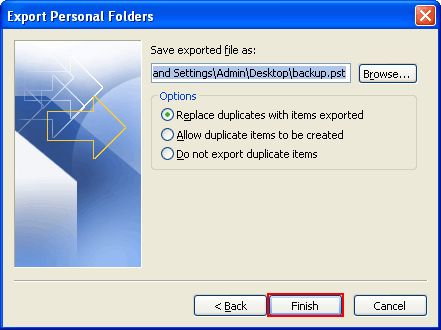
Import MS Outlook items from a Personal Folders File (.pst)
 Easy Steps to Import PST File in MS Outlook
Step 1
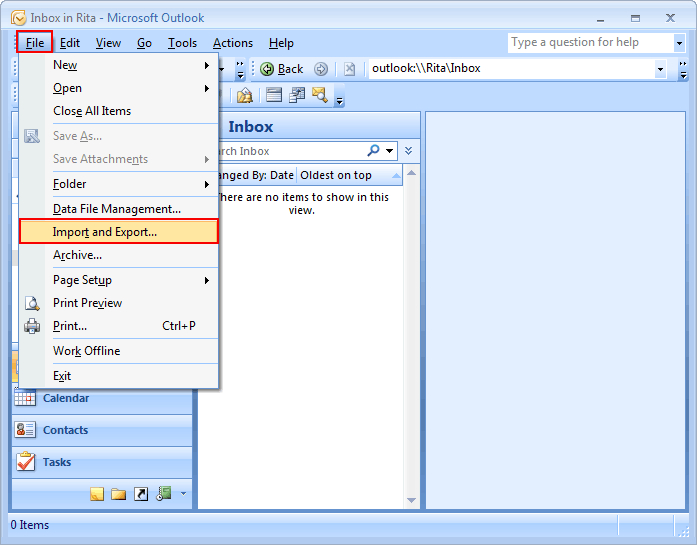
- Go to the "File" menu, click on "Import and Export" option.
Step 2
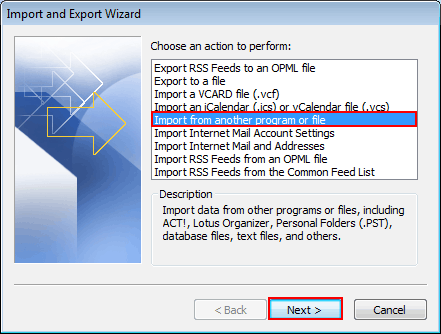
- In "Import and Export Wizard", click on "Import from another program or file", and then click on "Next" button.
Step 3
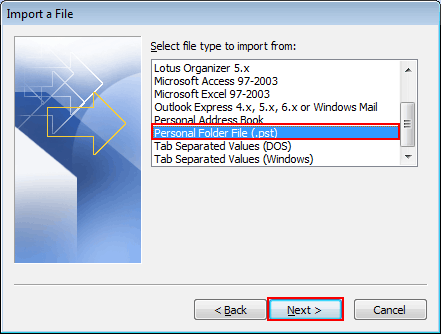
- Select "Personal Folders File(.pst)" and click "Next".
Step 4
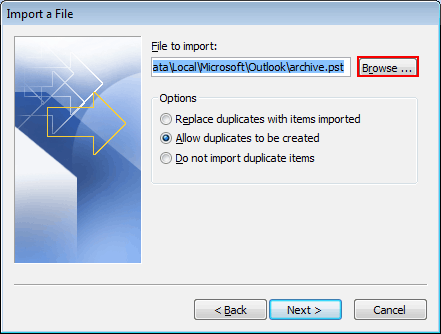
- Now click on "Browse" button and select the file to "import"
Step 5
Select "one of the options sub categorized" under an import process:
- Replace duplicates with items imported
- Allow duplicates to be created
- Do not import duplicates
Step 6
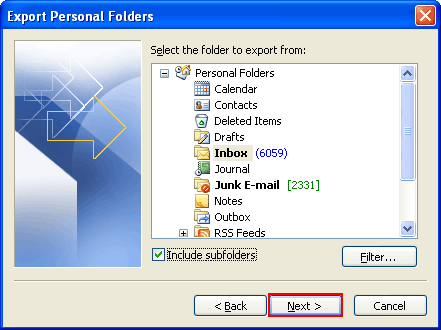
- After selecting the "desired option" click on "Next" button to proceed further.
Step 7
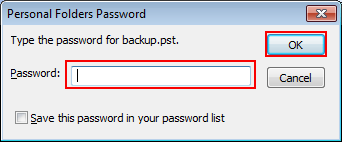
- If "password was assigned" to Personal Folders file (.pst), a message was prompted to enter password and Click on "OK".
Step 8
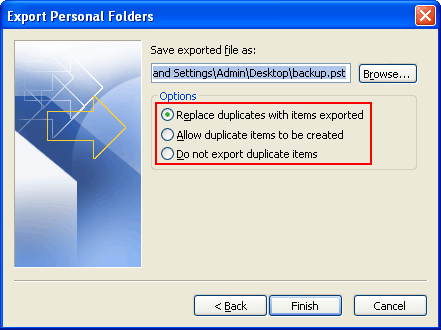
Select options for importing items, by default setting don't need to be changed
- Top personal folders or email address is selected automatically
- All sub folders under folder will be imported by default
- Default section of Import items into same folder in matches' solders from imported file to folders in Outlook. If a folder doesn't lie in Outlook, it will be build.